Thursday, April 17, 2025
Quietening
Monday, September 9, 2024
The Venn Diagram of an Inclusion Coach
Monday, July 15, 2024
Time Spent Coaching as a Year One Tech Coach


![]() |
| Time spent per interaction |
The Willing ... and Able
For most of my career, I have been studying teacher growth. I have found, as I am sure many readers have found, that one-shot workshops and other quick-fix forms of professional development often have little impact on teaching and learning. For that reason, my colleagues and I have spent more than a decade studying instructional coaching.
Coaching is all about relationships and understanding. The more I understand teachers, the better our relationship, and the more likely it will be that we can achieve our goal.
#techcoach #educoach #diglitcoach supporting Ts via @isteconnects https://t.co/F1gcA0zMPQ #asiaed pic.twitter.com/bCZvUuNWhH
— #asiaED Vip (@asiaEDchat) November 10, 2015
There is no manual for starting a coaching program or being new in the role (and if there is please send it to me), so, as a result, I spend a lot of time reading or interacting with other technology coaches online.
On coach I
I really like this approach because teachers who are willing are more likely to be open to change allowing me to showcase interesting work teachers do so I can enrol more teachers.
I have taken this approach this year, but one thing I have noticed is that there are teachers who are willing, but not able. And there are those who are able, but not willing.
Wednesday, September 7, 2022
Showing Off Our Stuff with Seesaw
Saturday, July 23, 2022
A Post Copied from another Blog
Jen and I met about this unit way back in October. She wanted to design a unit that incorporated elements of gaming.
After meeting with her to discuss which unit she would be doing, when it would happen, what she wanted to accomplish with this unit [student outcomes], we both went off and did a little research to gather more ideas.
I came across many articles, but then I came across Paul Swanson’s blog. He is a technology coordinator at UNIS Hanoi and had experience assisting a middle school humanities teacher, Kelsey Giroux, gamify her unit.
At our next meeting, Jenn had a better idea of the direction she wanted to take, so I added what I had found — most notably to add a narrative to the unit.
See how the unit has unfolded so far – Unit 3- Medieval Europe
- She created a Google Site in which the sections (levels) are divided by pages.
- For her first level, the students each created their own coat of arms. They then took a picture of it and used Thinglink to explain their thinking. (This also pushed students to more critically evaluate their own work.)
- The students then voted on the best coats of arms.
- Throughout the unit, pictures are uploaded to Instagram and displayed on the class blog through an Instagram feed widget. This has led to authentic discussions about digital citizenship and responsibility.
- The Thinglinks were then embedded into a Padlet where all of them could be displayed at once.
- Each unit has Google Docs with directions, creating independence amongst the students.
- Students independently move through the levels after they have attained the point requirement.
- There is a leaderboard so students can see their own progress. This has freed Jenn from reminding them what to do next.
The unit is still in the toddler stage — and all that stage implies — but what has become most apparent is the increased motivation and engagement from the students.
Monday, March 28, 2022
On Giving Feedback
- motivate
- teach
- correct
- demotivate
- demoralize
- depress
Sunday, February 20, 2022
A Boxing Tale - Using Video to Tell Story in PE
I was approached with the idea of collaborating on a summative project for the MYP Grade 7 and 8 PE Boxing unit. The idea that was pitched was a grand event where students would share their movies. The image in my mind was of a PYPx or some other kind of exhibition. My role was to be the facilitator for the exhibition.
The first question I had was what were the ATLs? What were the skills students were to focus on?
My next question was about adding the ATL of Information Literacy or Media Literacy as seen in the enhanced PYP ATLs. I am not up to date on the MYP ATLs, so it seemed that might be a logical starting point.
Then I wondered what could be the "hook" for the students on this project. As I understood the unit when I came out of the initial meeting, I would just be supporting the final exhibition. I assumed the students would play their movies on their laptops, so I wondered if we could use AR to do something creative with movie posters. I had recently seen an art teacher on Instagram [link coming] that does some pretty amazing things with the AR app, EyeJack.
So I went away with a little more of an idea of what was going on.
Some ideas for next time:
- Get the unit plan
- Have the teachers articulate their objectives
- Have the teachers tell their ATLs [skills] and how the students will show them
- Make time to talk with the teacher before the unit starts to see the bigger picture and to ask clarifying questions
Sunday, July 25, 2021
First Year Reflections
This post has been waiting to be written for a few weeks.
I call it my "first year" despite being in my fourth year at my current school for a few reasons. The first reason being each year has felt like a new year, but more relevantly because this was my first year as PYP Learning Support and Technology Coach.
![]() |
| Photo by Edi Libedinsky on Unsplash |
This was a new position for both me and the school. I had been a technology coach before, but it was at a different school [KAS]-- and a completely different situation [K-12 vs K-6].
What worked for me at KAS was:
- An open schedule (Well, only 10 hours of teaching a week)
- Support - the person who hired me had a vision for what he wanted the coaching program to look like
- Weekly meetings with my boss - the Tech Director
- A group of teachers who would support teachers and meet once a month to talk about tech issues and ideas in the school
- Weekly meetings with PYPC
- Weekly meetings with Tech Director
- The role
- Started Tech Tuesdays
Saturday, July 17, 2021
Help People See What They Don't See
- Can you describe the teaching situation?
- How much will you need to modify to do what you want to do?
- What is the specific activity you will do?
- What is the most important thing the kids will do?
- What is the most important outcome of the lesson? What is the most important thing you will need the kids to do?
- What will the kids do in the lesson that will help them reach the outcome?
- What are the most important things for you as the teacher to do to help them reach the outcome?
- What would you like me to give you feedback on?
![]() |
| Photo by Marten Newhall on Unsplash |
help people see what they don't see
Saturday, November 7, 2020
Photo Phollies
Photos have been a pain in my side this year.
My go-to Photos app is Google Photos, and fortunately, it is for my school as well. But lately, some teachers have been saying that the pictures are not automatically uploading.
I am not sure what causes them to not upload and I have not been able to reproduce it.
Another issue is the way iCloud works and how all your pictures are kept on all your devices. It doesn't work with the smallish hard drives we have.
What I think we will do next year is:
- Have both the Apples Photos and the Google Photos apps on the devices
- Connect to iCloud
- Teach teachers how iCloud works and that they should use their laptop as the primary device
- Once a month, curate your monthly photos and back up to Google Photos
- Use any photos you want
- Delete your photos
Sunday, September 20, 2020
The Way We Talk to People
I have been thinking a lot about feedback this week.
I went in to see a teacher's lesson. She is a specialist teacher teaching some kids who were in my class last year. They are a challengin group of kids and I just wanted to see how they were with her. When I went in, I helped kids I could help and took mental note of what was happening around the room. Afterwards, she approached me about what I saw and what I thought could be different, so I told her rather directly, while being polite, what I thought.
I thought a lot about this interaction, wondering if I was too direct since I don't really know this teacher too well yet. But then again, she asked for feedback and has a desire to improve on her practice.
A while back I was in a an accredidation preperation session where we were asked to make something for the visit. Everyone got to work on what they were making. Another teacher came up to me and asked what I was doing. Her line of questioning led me down a path to self-doubt. Now maybe my idea wasn't good, but I think she should have allowed me to try out my idea and adjust myself. I ended up not finishing anything since I 1) lost all that time, and 2) was worried about her coming back to me and critiquing my work.
I am beginning to think that there are two kinds of feedback - bottom up and top down.
Bottom Up Interactions
I look at bottom up interactions as those in which someone is seeking feedback as with this teacher. In these interactions it might be easier to speak more freely and directly.
Top Down Interactions
In top down interactions, someone is not necessarily seeking out the feedback, but is getting it regardless.
Monday, September 7, 2020
Teacher Training Newsletter
Last year when we were taught/shown how to use an app, the IT Director would come around and show each teacher individually. I now understand why the IT Director was going around last year to each teacher as he wanted to respect the teachers' time.
Now that I am the Tech[nology] Coach here I see that this is taking a lot of time.

I keep thinking about that quote: "If it can be said in an email, make it an email." I heard this again mentioned on the Check It Out podcast. One of the hosts said that instead of sending videos, he just shares the document or presentation by email.
This could be the way to go.
It kind of relates to a weekly "Tech Email". At KAS, the IT Director sent out a weekly email (gathered from blog posts) that had three parts -
- Tip of the Week: A larger article about a bigger education topic.
- Tip of the Web: A shorter article highlighting a tool that teachers could use.
- Tip of the Hat: A short article highlighting a teacher.
I should do something in this same vein.
Sunday, April 8, 2018
Paraphrasing and Active Listening
One thing the first few coaches talk about in this video is paraphrasing, or active listening.
I have read that paraphrasing is an effective way to show the person you are talking to that you are listening. It is a staple of the coaching toolkit.
I do not like paraphrasing, however.
I wish I could put my finger on why, but I think I must have had a bad experience in the past. I wonder if it was used to twist my words or trap me at one time - or many times.
The coaching position comes down for the need for trust. I believe it is imperitative for a coach to first build good relationships with those they are coaching. Without trust, there might be seeds of doubt that could hinder the coaching process.
Thursday, March 1, 2018
My Biggest Regret
I don't like to ruminate, but I do catch myself wishing I could have done things differently in the past.
It was the first month into a coaching position that was new to both me and the school. I was asked for some ideas for math ... I had some, but I also had an awesome math book. I am embarrassed to admit what I did next - I went to this teacher's room, handed the book over, and said something like, "Read this. It's good."
No offer to come in.
No observation.
This issue didn't have anything to do with tech and I was a technology coach after all.
If I could do it over I would go in and observe. Then I would meet with the teacher. I would then go through the book and pick a few (3-4 perhaps) of the ideas out and make a menu from which the teacher could choose. I would brainstorm ideas along with the teacher how to make it work.
I would then offer to model or co-teach a lesson.
That's what I would do now anyway.
I want to think that this particular decision wouldn't have made a big difference in my time as a tech coach. But then again, maybe had I worked more closely with the teacher I could have gotten more teachers on board faster.
And it wouldn't be weighing on my mind even now.
Monday, February 12, 2018
Strategic Technology Integration
STEP 1: EVALUATE AND ASSESS
- Find Inspiration and Evidence of Tool Effectiveness
- Use your intuition. Ask yourself: "Does this tool allow me to do something in my teaching practice that I can't do without it?"
- Poll your personal learning network
- Ask a colleague to sit in on a lesson
- Search the web for research-based evidence
- Take a free online graduate course at Tarleton State ;-)
- Assess Your Own Understanding, Skill, and Confidence Level with the Tool
- Do you truly understand the functional purpose(s) of the tool and its general capabilities?
- Assess Your Students' Understanding, Skill, and Confidence Level with the Tool
- Do your students truly understand the functional purpose(s) of the tool and its general capabilities?
- Assess Your Resources and Time Needs
- Do you and your students have access to the hardware, software, bandwidth, and technical support that is required?
- Try to forecast the amount of time it will take you to learn to use the tool from both the teacher and the student perspective.
- Try to forecast the amount of time it will take you to test run and troubleshoot problems with the tool.
- Try to forecast the amount of time it will take you to scaffold your students' use of the tool.
STEP 2: LEARN AND PLAN
- Invest dedicated time and energy into learning the tool (ideally from the student perspective first
!).
- Seek out training (professional development, online, from a colleague, or even from your own students).
- Seek out opportunities to talk about and show others what you're learning.
- What does success look like in your mind's eye?
- Try to imagine how your class looks (organized chaos?), sounds (quiet, focused chatter?), and feels (energy in the air?) when learning is occurring using a technology tool. Try to work backwards from that point to determine how you reach that state of success.
- What learning objectives can you accomplish with the aid of the tool?
- What pedagogical strategies will you call upon?
- What learning strategies will you call upon?
- How will you scaffold your students' use of the tool?
- Try to view things through the lens of the students. How will you provide them with instructions?
- What might be hard for them to conceptualize or manage?
- Where might students get off track?
- How much 'experimenting' will you allow students to have with a tool?
- What is your timeline for implementation?
- This timeline should include the remaining steps 3-6.
- Always overestimate the amount of time you think tasks will take by 1-2 hours. ;-)
- What is your backup plan?
- As you probably already know, technology misbehaves. Work with your support network to brainstorm workarounds for when the technology doesn't act the way you want it to.
STEP 3: COORDINATE
- Schedule dedicated time with support staff, colleagues, and even your own students to accomplish the goals you set in Step 2.
- Test-run your use of the tool alone first, and try to forecast areas where things could go wrong. Develop a scaffolding
strategy based on this.
- Schedule time for support staff to assist you with a test run and for the "prime time" roll-out.
STEP 4: TEST
- Test run your scaffolding
on a test audience (your colleagues, your friends, your family - anyone who will agree to it!)
STEP 5: IMPLEMENT
- Use the tool for the first time!
STEP 6: RE-EVALUATE and RE-ASSESS
- Evaluate the effectiveness of the tool in your context.
- Did it facilitate learning?
- Did it streamline a task?
- Did it engage learners?
- Did it engage you?
- Assess your own attitudes, understanding, confidence, and skill level.
- Was it worth the time and energy you spent?
- Will it get easier the more you use it?
Tuesday, January 2, 2018
Use Blogger to Create a Searchable Database of Your Twitter Favorites
I used several different services that allowed me to save Tweets or Posts, but they all lacked the ability to tag posts. Searching for posts is great if you know what you are looking for, but I wanted to find a service that would also allow me to tag posts.
In my research to find the right tool, I stumbled on an applet on ifttt.com that saves Twitter posts that you favorite on Twitter, to a Blogger blog. ifttt.com stands for if this then that and is a site that allows you to create workflows between apps.
This was great because, with a blog, you can search the entire site as well as tag posts. (I suppose there is one for Wordpress too, but I prefer Blogger.)
1. Head over to ifttt.com to get started
2. Create a new applet
Find your username in the upper right-hand corner and click on it. Then select New Applet.3. Select actions
You will need an if and a that. For this example, the if is a like on Twitter, and the that will be new Blogger post.
Click on +this and select Twitter.
Then choose your that
4. Customize the action fields
Since this is a new Blogger post, there are several ways to customize it: post title, body, labels. Select which ingredients you want to add.
Here is how I customized my applet.
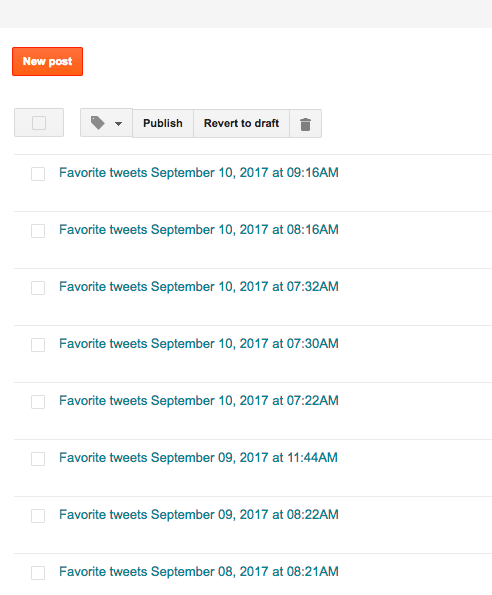
![]() |
| WHAT MY POSTS LOOKED LIKE BEFORE CUSTOMIZING THE TITLES FIELD |
This is not the perfect tool for me yet, I still have to go in to adjust labels, but this is much easier than what I was doing before.
Tuesday, November 7, 2017
Moving Workshops Into The Faculty Lounge
Most of the time, the workshops were during the "lunch hour" (Although this period of time stretched out over two hours. Maybe lunch period would be more suitable?) They were also held after school quite a bit. These periods of time were chosen based on surveys given to teachers, and feedback received from teachers.
I wanted there to be people to be in the vicinity. The idea was to have people who thought they did not have the time for the workshops to at least get ideas or tips in passing.