#CoetailChat happens on the last Sunday of each month around 9 pm Japan Standard Time.
Showing posts with label COETAIL. Show all posts
Showing posts with label COETAIL. Show all posts
Monday, October 26, 2015
#CoetailChat October 25, 2015 -- Disrupt PD
I think this was the biggest turnout for a CoetailChat yet. Feel free to look back through the chat, and come to #CoetailChat to continue the discussion.
#CoetailChat happens on the last Sunday of each month around 9 pm Japan Standard Time.
#CoetailChat happens on the last Sunday of each month around 9 pm Japan Standard Time.
Thursday, March 13, 2014
iPad Book Creator App and Dropbox Part 2
Until today, we were playing "pass the iPad" with project to make a book about our school.
Warning: When combining books, you need to have the book you want the pages merged in to selected. (By selected I mean have the main book be the one in the center of the screen.)


What I mean is that with Book Creator, you cannot simultaneously edit a book (that I know of), so I had the kids do something while one student was making their page.
The problem [only in the sense of time] was that the students kept tweaking their pages and after two days I had two pages of the book. That was not going to work.
Last night at home I remembered seeing a way to combine books. So today I set out to do that. Here is how it is done.
Warning: When combining books, you need to have the book you want the pages merged in to selected. (By selected I mean have the main book be the one in the center of the screen.)
Step 1 - Start at the "Home Screen"

I do not know the official name for this screen, but it is the one where you can see all of your books.
Step 2 - Click the "+" [plus]

Step 3 - Click Combine Books
Tuesday, March 11, 2014
iPad Book Creator App and Dropbox Part 1
Embarking on my COETAIL final project, I found myself collaborating with two other classes to make a book about each of our schools which will lead to another project about communities.

The app of choice is called Book Creator. I really like the app so far since it is easy for the students to get the hang of it. One of my more tech-savvy second graders tried it for the first time today after being out last week when we started with it, and it was amazing to see him find his way around so quickly - not even the hidden buttons could hold back this digital native.
Since we will be sharing our books using Dropbox, I spent some time trying to figure out how this thing would work.
I tried Googling how to save to Dropbox and came across this blog post about how to do it with iOS 6, but it is slightly different with iOS 7.
Step 1
Click the "send" link.

Step 2
Click "Open with another App".
Step 3
From here you can save to Dropbox.
This is my first attempt at this so I am sure there will be more learning along the way.
Wednesday, June 12, 2013
Relax, They Can Do It

After moving from teaching grades 3-4 to grades 1-2 this year, I was unsure of what the students would be able to do.
I got into the classroom and I felt a little uneasy.
I felt off balance.
I put on the kid gloves and began the year.
We used a lot of paper. We painted. We cut. We did things you would expect a [1995] lower elementary class to do. Sure, we went to the computer lab, but I was not pushing them to explore technology.

Then I signed up for COETAIL and to complete my assignments I had to push my students into areas I did not think they were ready for.
We dove into using Google Apps, I had them logging into different accounts, researching, finding answers to their own questions, finding answers to my questions, and learning new ways to express ourselves.
.jpg) |
| Photo Credit: mariandy_gizfel via Compfight cc |
 |
| Town in the making |
I wrote the question on the board and asked the students what they thought roly polys might eat. I wrote each response on the board. Then I told them to go ahead and find out what roly polys eat.
It only took a few minutes for one boy to come up to me and show me what he found. He got the answer off of a wiki answers site. Other students were right there with him. Several of the students (and it was interesting because it was mostly girls) used Image Search. They found the answer too, but they did not know it.
This brought forth a whole new set of questions about its habitat, if they would survive in the structure they built for it, and where its mouth is.
I sat there amazed at how much they can do, and how much we will do next year.
Sunday, May 19, 2013
Course 2 Final Project - A Technology AUP for Grades K-6
The school I am working at just recently updated the school's AUP. When I saw it, I felt like it was missing something, something besides easy-to-understand language for the elementary students. The school's AUP needed some positive language in it.

Too often when looking at other schools' AUPs, the rules and regulations made me feel as if using technology were criminal.
I, however, think that technology should be celebrated. Students should know that technology can be exciting and fun. Yes, computer games are OK to play in moderation.
When writing mine, I tried to write rules in a positive manner that revolved around our school STARs, or ESLRs expected student learning results. I wanted to focus on the "cans" and "shoulds" rather than the "don'ts".
I also wanted to make a document that was all on one page so young students would be able to follow along.
I waited too long to try to find someone to collaborate with so I made a post to see if anyone was interested. I was fortunate to find a few people to collaborate with: Adam, Ben, Claudelle, Margriet, and Vivian. Thank you all. Using Google Docs, collaboration was relatively smooth; or as smooth as collaborating through time zones and through borders can be.
My collaborators gave me some great advice, but I think this is still a work in progress. For it to be a truly elementary AUP, I need to add some graphics.
With that said, this is a lot better than what I started with.
Something I noticed when I started reading the AUPs from other cohort members was how there is a shift from talking about dont's, to more positive language. Are we all drinking the same Kool-Aid? I think the shift is a great one for education.
Too often when looking at other schools' AUPs, the rules and regulations made me feel as if using technology were criminal.
I, however, think that technology should be celebrated. Students should know that technology can be exciting and fun. Yes, computer games are OK to play in moderation.
When writing mine, I tried to write rules in a positive manner that revolved around our school STARs, or ESLRs expected student learning results. I wanted to focus on the "cans" and "shoulds" rather than the "don'ts".
I also wanted to make a document that was all on one page so young students would be able to follow along.
I waited too long to try to find someone to collaborate with so I made a post to see if anyone was interested. I was fortunate to find a few people to collaborate with: Adam, Ben, Claudelle, Margriet, and Vivian. Thank you all. Using Google Docs, collaboration was relatively smooth; or as smooth as collaborating through time zones and through borders can be.
My collaborators gave me some great advice, but I think this is still a work in progress. For it to be a truly elementary AUP, I need to add some graphics.
With that said, this is a lot better than what I started with.
Something I noticed when I started reading the AUPs from other cohort members was how there is a shift from talking about dont's, to more positive language. Are we all drinking the same Kool-Aid? I think the shift is a great one for education.
Sunday, May 12, 2013
The Power of Connection
Blog post reflecting on your own personal use of the Internet and how you use the connection and power of hyperlinks.
In college I was a foreign exchange student at a small university in Japan. I don't remember how often I called home, but I do remember that it wasn't very often.
When I did call home, I had to go to a payphone like this on campus, and dial a number to some phone company where I would have to dial another number that would connect my to my parents house. This was all before I had access to the Internet back in the U.S. (I was even sending hand-written letters then.) Fast forward to this morning when I used Skype to call my mom [from Japan] for free.
I am so glad I don't have to seek out a payphone.
I believe the power of the Internet, combined is how is is flattening the world and giving more people than ever access to information.
People can take free college classes. We can read newspapers from all over the world whenever we want, well, the free ones at least. There are ebooks, blogs, websites, videos, and infographics.
But all these tools are nothing without the people and the ideas behind them. Now, more than ever, it is so easy to find people with great ideas and hear what they have to say. We can get and give information quickly. (Sometimes too quickly.)
This is what the Internet is all about. The connections are where the power is at.
In college I was a foreign exchange student at a small university in Japan. I don't remember how often I called home, but I do remember that it wasn't very often.
 |
| Photo Credit: Endangered in Japan by kimubert via Compfight cc |
When I did call home, I had to go to a payphone like this on campus, and dial a number to some phone company where I would have to dial another number that would connect my to my parents house. This was all before I had access to the Internet back in the U.S. (I was even sending hand-written letters then.) Fast forward to this morning when I used Skype to call my mom [from Japan] for free.
I am so glad I don't have to seek out a payphone.
I believe the power of the Internet, combined is how is is flattening the world and giving more people than ever access to information.
People can take free college classes. We can read newspapers from all over the world whenever we want, well, the free ones at least. There are ebooks, blogs, websites, videos, and infographics.
But all these tools are nothing without the people and the ideas behind them. Now, more than ever, it is so easy to find people with great ideas and hear what they have to say. We can get and give information quickly. (Sometimes too quickly.)
This is what the Internet is all about. The connections are where the power is at.
You Mean Google is not in My iPad?

This week I had a short discussion with my class about the Internet and what it is. While reading this article about a writer who spent a year not accessing the Internet. In that article, he writes about the conversation he has with his niece.
That was just the idea I needed.
I gathered my class onto the carpet and drew some pictures of computers on the whiteboard. I explained that when I was younger, [most] of the computers were isolated from each other.
Then I drew lines to connect the computers and explained that is basically what the Internet is, computers connected together.
Two excited students shouted out.
"It looks like a web!"
"It looks like a net!"
"Good observations," I said. "That is why those words are used when talking about the Internet."
My favorite part was when I was trying to explain again for the students who were not understanding what I was saying. I erased one of the lines and said when I disconnect my computer, or turn off WiFi I cannot access the Internet anymore. I become isolated. (These are not the words I was using by the way.)
Some students still did not understand.
So I opened Safari on the iPad and went to Google. I showed them that I am now connected to the Internet. But when I turn off WiFi, see? I cannot get to Google anymore.
You mean Google is not on the iPad!?I also talked about hyperlinks and how they worked. My analogy was not very good, but if I were to do it again, I would bring them to the library. I would talk about how the library is like the Internet, and the books are like websites. All the websites have pages, like books.
Side note: Compu-Global-Hyper-Mega-Net is the name of Homer Simpson's Internet start up company from a 1998 episode of The Simpson's called "Das Bus". When I was reflecting on the discussion I had on Friday with my class, this name is what came to mind.
For me, I use the connection of the Internet to, well, connect. I connect to information, content, and other people which would not be possible without hyperlinks.
Without hyperlinks, we would be isolated. (But I think there would be a different to hop from place to place.)
This is an interesting project: http://www.chromeexperiments.com/globe
Saturday, May 11, 2013
So, How Will My Digital Footprint Affect Me as an International Teacher?
All images in this post are screen shots from the infographic I made.
During this class I have been much about our online footprints the impact it has on job applicants when looking for a new job.
When I was reading the articles, I thought they were interesting, but I kept wondering what the hiring process of international schools looked like.
I went to my own headmaster and informally asked him what he does during the hiring process. While we were talking he said that he would be willing to send the survey out to other headmasters.
I got responses from 15 headmasters, headmistresses, or principals. See the survey results here on infogr.am.

Question 1
Do you perform an Internet/Google search about potential applicants during the hiring process?
The responses to question 1 surprised me. I assumed that everyone would "Google" an applicant during the hiring process.
After reviewing the results of this first question, I wondered if I should have asked that the survey go out to the person in charge of hiring. Maybe the two who answered no to this question don't do the hiring for their schools. Maybe they rely on references or they call the schools the teachers are coming from.

Question 2
If you answered yes to question 1, how long do you spend on researching applicants in such ways?
The responses here were what I had expected. School leaders are busy people and spend less than 30 minutes doing Internet background checks.
Question 3

Do you use Social Media sites (Facebook, Twitter, Linkedin, etc.) to find additional information about applicants during the hiring process?
I expected that everyone would be looking at Social Media sites during the interview process. It is faster to just do a Google Search though.
Question 4
If you use Social Media, which sites do you gather information from?

This is another question where the results were not as I had expected. 11 of the 15 respondents said they looked at Social Media sites. I thought it would have been 100%. The breakdown was unexpected for me as well. I thought Twitter would be much higher, but it only got one vote.
One headmaster had this answer to Question 4:
Question 5
Have you found information that has positively or negatively impacted the result of your applicant search when using Social Media?

 Question 6
If you failed to find any information at all, does that negatively impact your feelings about the applicant?
Seven of the 15 respondents answered this question. All seven said that it does not negatively affect someone to have no online presence at all. This did surprise me. I assumed people might think those without an online presence had something to hide.
Summary
During this class I have been much about our online footprints the impact it has on job applicants when looking for a new job.
When I was reading the articles, I thought they were interesting, but I kept wondering what the hiring process of international schools looked like.
I went to my own headmaster and informally asked him what he does during the hiring process. While we were talking he said that he would be willing to send the survey out to other headmasters.
I got responses from 15 headmasters, headmistresses, or principals. See the survey results here on infogr.am.
Question 1
Do you perform an Internet/Google search about potential applicants during the hiring process?
The responses to question 1 surprised me. I assumed that everyone would "Google" an applicant during the hiring process.
After reviewing the results of this first question, I wondered if I should have asked that the survey go out to the person in charge of hiring. Maybe the two who answered no to this question don't do the hiring for their schools. Maybe they rely on references or they call the schools the teachers are coming from.

Question 2
If you answered yes to question 1, how long do you spend on researching applicants in such ways?
The responses here were what I had expected. School leaders are busy people and spend less than 30 minutes doing Internet background checks.
Question 3
Do you use Social Media sites (Facebook, Twitter, Linkedin, etc.) to find additional information about applicants during the hiring process?
I expected that everyone would be looking at Social Media sites during the interview process. It is faster to just do a Google Search though.
Question 4
If you use Social Media, which sites do you gather information from?
This is another question where the results were not as I had expected. 11 of the 15 respondents said they looked at Social Media sites. I thought it would have been 100%. The breakdown was unexpected for me as well. I thought Twitter would be much higher, but it only got one vote.
- Linkedin - 9
- Facebook - 8
- Google+ - 2
- Twitter - 1
- Pinterest - 0
- Other - 0
No, I don't [look on Social Media when reviewing an applicant], Google is a search engine so I use that. Social sites are personal so I don't dig.If I had the chance to ask a followup question to that answer, I would ask if looking on Social Media meant specifically going to a site to look someone up, or if this included those in a Google search result as well.
Question 5
Have you found information that has positively or negatively impacted the result of your applicant search when using Social Media?
This question was to see what kind of information was found about applicants. The three options were:
- I have found information that supported the applicant positively.
- I have found both positive and negative information about applicants.
- I have tried, but have failed to find any information at all.
If you failed to find any information at all, does that negatively impact your feelings about the applicant?
Seven of the 15 respondents answered this question. All seven said that it does not negatively affect someone to have no online presence at all. This did surprise me. I assumed people might think those without an online presence had something to hide.
Summary
- All though I had only 15 responses to the survey, it represents more than half of the schools that it was sent to and it was a bigger response than I had expected.
- Before I sent this survey out, I had assumed that background checks using the Internet was more common among schools than it has shown to be.
- I really thought that having no online presence would be thought of as a negative, but this group disagrees with me.
- I am surprised only one headmaster looks at a teacher's presence on Twitter. I think it should be more popular than it seems to be [with these heads surveyed]. Twitter is a great resource for information.
- Writing surveys is challenging. I proofread this one about three times, and I can still see things I would do differently next time.
- Making a nice infographic is also really hard. I spent too much time trying to make my own before finding the website infogr.am where I simply needed to insert my data.
- It's a good idea to be smart when you post anything online and regularly check your own digital footprint because people are looking.
Wednesday, May 1, 2013
The Three Players in Copyright
I believe there are three main players when it comes to copyright. There are the consumers, the publishers, and the authors. The burden usually falls on the consumers, and maybe it should, but I think all three have a responsibility to ensure copyrights are not violated.
The Consumers
The consumers are everyone who uses the Internet and digests information. The consumers are the ones who the copyright burden usually falls on. That is with good reason as the consumers are the ones using other people's materials.
I agree that people should give credit back to the authors of content when they use it. I would like to see it go a little further though.
We should add not only links back to the page where information is found, but also include site names, and a link back to the homepage of the website. When using pictures or art, I also think that the artwork's title should also be included.
All this is to ensure that a reader can get back to the original source.
The Authors
Today I was surfing around reading some COETAIL blogs and some other blogs in my Google Reader, and I came across Vivian's post, Seriously Trending #Cyberbulling. In it she gives a very personal account of her own childhood experiences, and she links to some worthwhile content about bullying.
One of the resources she links to is a pdf and I followed it to get more information. There I decided that it was good enough for me to use in the future, so I downloaded it to my Google Drive.
While reading the pdf, I was looking for the authors name, or at least the organization where the document came from. Afterall, if there was one good source of information, there would surely be more.
The problem was that the pdf does not have the author's name or the organization where it came from. It does however, contain a citation from where the author got information to make the document.
When I was looking into how to find the source for this document, I continued to think that this author should protect him/herself by putting a name on it. In a pdf, you can also place active links that would help readers quickly make it back to your website to find out more information about who made it.
Photographers also fall under the authors title. Photographers can add metadata including their name, date, and a copyright mark. (As a photography hobbiest I think pictures are better without the watermarks.)
The Publishers
The publishers are websites that post copyrighted content. I even classify publishers to be those sites that allow for the curation of copyrighted content i.e. Google Drive.
For these sites, I think it is their responsibility to give the consumers an easy way to cite an author when reproducing it. Imagine if when doing an image search on Google that it was as easy as it is on Compfight to cite an image. Imagine how easy everything would be if website publishers gave you a snippet of code tell the public where you got your information. PowerPoint and iMovie should include easy ways to insert and display a link back to the source of an image. Google Drive should also have something where you can put a link back to where the document or photo came from. Yes, we can do it ourselves, but these companies should have a stake in helping people to use content legally.
Come on - it's not that hard to do. And it can even look decent if done right like the way Haiku Deck does it.
I also think they have an obligation to forewarn consumers when they [we] are using, embedding, linking to copyrighted content. A lot of trouble comes when consumers take copyrighted content without knowing it should not be taken. A simple warning when right-clicking would do wonders.
The burden of responsibility will always fall back on the consumers, but all three players have some responsibility to help prevent copyright infringement.
The Consumers
The consumers are everyone who uses the Internet and digests information. The consumers are the ones who the copyright burden usually falls on. That is with good reason as the consumers are the ones using other people's materials.
I agree that people should give credit back to the authors of content when they use it. I would like to see it go a little further though.
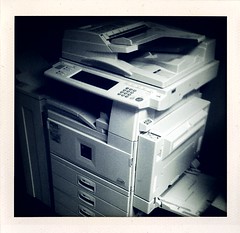 |
| Photo Credit: "189/365: Makin' Copiessss" by if winter ends via Compfight cc |
We should add not only links back to the page where information is found, but also include site names, and a link back to the homepage of the website. When using pictures or art, I also think that the artwork's title should also be included.
All this is to ensure that a reader can get back to the original source.
The Authors
Today I was surfing around reading some COETAIL blogs and some other blogs in my Google Reader, and I came across Vivian's post, Seriously Trending #Cyberbulling. In it she gives a very personal account of her own childhood experiences, and she links to some worthwhile content about bullying.
One of the resources she links to is a pdf and I followed it to get more information. There I decided that it was good enough for me to use in the future, so I downloaded it to my Google Drive.
While reading the pdf, I was looking for the authors name, or at least the organization where the document came from. Afterall, if there was one good source of information, there would surely be more.
The problem was that the pdf does not have the author's name or the organization where it came from. It does however, contain a citation from where the author got information to make the document.
When I was looking into how to find the source for this document, I continued to think that this author should protect him/herself by putting a name on it. In a pdf, you can also place active links that would help readers quickly make it back to your website to find out more information about who made it.
Photographers also fall under the authors title. Photographers can add metadata including their name, date, and a copyright mark. (As a photography hobbiest I think pictures are better without the watermarks.)
The Publishers
The publishers are websites that post copyrighted content. I even classify publishers to be those sites that allow for the curation of copyrighted content i.e. Google Drive.
For these sites, I think it is their responsibility to give the consumers an easy way to cite an author when reproducing it. Imagine if when doing an image search on Google that it was as easy as it is on Compfight to cite an image. Imagine how easy everything would be if website publishers gave you a snippet of code tell the public where you got your information. PowerPoint and iMovie should include easy ways to insert and display a link back to the source of an image. Google Drive should also have something where you can put a link back to where the document or photo came from. Yes, we can do it ourselves, but these companies should have a stake in helping people to use content legally.
Come on - it's not that hard to do. And it can even look decent if done right like the way Haiku Deck does it.
I also think they have an obligation to forewarn consumers when they [we] are using, embedding, linking to copyrighted content. A lot of trouble comes when consumers take copyrighted content without knowing it should not be taken. A simple warning when right-clicking would do wonders.
The burden of responsibility will always fall back on the consumers, but all three players have some responsibility to help prevent copyright infringement.
Sunday, April 28, 2013
The Time is Now
[caption id="" align="alignright" width="188"] Photo Credit: MrSchuRe [/caption]
Everyday at school I have to remind both my own students, and those in other grades, what to do when they get into a disagreement with another student. I remind them of some steps I picked up from another teacher to help students remember what to do in those situations.
Let's talk about it
Cyberbullying, as defined by Wikipedia is as follows:
A cyberbully may be a person whom the target knows or an online stranger. A cyberbully may be anonymous and may solicit involvement of other people online who do not even know the target. This is known as a 'digital pile-on.'[3]
I think that cyberbullying should be taught in schools, as "offline" bullying is, in conjunction with it being talked about at home. I am a little disconnected from the issue teaching in early primary. I mostly deal with the offline kind.
The problems we have at the school I am working at seem rather trivial compared to some of the problems I have heard about at other places. I can see some of these problems beginning to sneak into our bubble of a school. While I do not think that we have had any cases of cyberbullying in our school, I think it is only a matter of time.
I think that now is the time to talk to kids about it so they are prepared and are able to handle it when/if it happens to them.
Students might also not know that what they are doing is not OK. They might think that what they are doing is only a joke and not realize that it is harmful.
When discussing Internet etiquette in class, I poured a glass of water on the ground and I had them try to figure out how to put it back in. This brought up some great questions and led us to conclude that Internet etiquette is (or should be) the same as offline etiquette. You should even be more careful online since your actions can be tracked and recorded.
I think that schools should be safe places for kids. They should not have to worry about being harassed by other kids.
I think schools should take action when students attack other students online. There is a fine line here, and it is where judgement calls need to be made.
What does an attack look like?
How do you know it is not a joke?
When does a joke go too far?
Would it be OK for a student or teacher to share disagreements about the school online?
I am going to evade these questions for now and say that judgement calls should be made on a case by case basis. It is interesting that a few months ago I thought there was no way that a school should have that kind of power.
Isn't it OK to wield that kind of power to protect the good of all?
When should we talk with students about cyberbullying then? I have been trying to do a class search lesson a week where we take a question the students have about what we are studying and see what answers we can find. I would like to extend this to talk more about staying safe online.
Photo Credit: MrSchuRe [/caption]Everyday at school I have to remind both my own students, and those in other grades, what to do when they get into a disagreement with another student. I remind them of some steps I picked up from another teacher to help students remember what to do in those situations.
- Say stop
- Walk away
- Tell a friend
- Tell a teacher
- Say stop
- If it continues, tell an adult
Cyberbullying, as defined by Wikipedia is as follows:
- actions that use information and communication technologies to support deliberate, repeated, and hostile behavior by an individual or group, that is intended to harm another or others.
- use of communication technologies for the intention of harming another person
- use of internet service and mobile technologies such as web pages and discussion groups as well as instant messaging or SMS text messaging with the intention of harming another person.
A cyberbully may be a person whom the target knows or an online stranger. A cyberbully may be anonymous and may solicit involvement of other people online who do not even know the target. This is known as a 'digital pile-on.'[3]
The problems we have at the school I am working at seem rather trivial compared to some of the problems I have heard about at other places. I can see some of these problems beginning to sneak into our bubble of a school. While I do not think that we have had any cases of cyberbullying in our school, I think it is only a matter of time.
I think that now is the time to talk to kids about it so they are prepared and are able to handle it when/if it happens to them.
Students might also not know that what they are doing is not OK. They might think that what they are doing is only a joke and not realize that it is harmful.
When discussing Internet etiquette in class, I poured a glass of water on the ground and I had them try to figure out how to put it back in. This brought up some great questions and led us to conclude that Internet etiquette is (or should be) the same as offline etiquette. You should even be more careful online since your actions can be tracked and recorded.
I think that schools should be safe places for kids. They should not have to worry about being harassed by other kids.
I think schools should take action when students attack other students online. There is a fine line here, and it is where judgement calls need to be made.
What does an attack look like?
How do you know it is not a joke?
When does a joke go too far?
Would it be OK for a student or teacher to share disagreements about the school online?
I am going to evade these questions for now and say that judgement calls should be made on a case by case basis. It is interesting that a few months ago I thought there was no way that a school should have that kind of power.
Isn't it OK to wield that kind of power to protect the good of all?
When should we talk with students about cyberbullying then? I have been trying to do a class search lesson a week where we take a question the students have about what we are studying and see what answers we can find. I would like to extend this to talk more about staying safe online.
Sunday, April 21, 2013
I Can't Claim Ignorance
I try to use my own pictures as much as I can on my blog and in class. Unfortunately, I cannot say that I have been the best model for my students when I do not use my own work in class.
I have created videos and used music that was not mine without citations. I have used pictures in presentations without giving credit where it was due.I claim ignorance.
 |
| Photo Credit: Yuba College Public Space via Compfight cc |
But with the reading from this week, I have a much better understanding of what is expected of good netizins and some of the laws surrounding copyright laws.
Now I even [kind of] know the copyright laws in Japan which has this clause according to Wikipedia:
Working at a private school where students pay tuition, should I be paying closer attention to what I am doing? Does this law only apply to Japanese work?
- Educational use: Teachers at non-profit educational institutions are permitted to reproduce copyrighted works for the purpose of teaching, as long as such reproduction does not infringe on the interests of the author. For example, a teacher may duplicate a television program or audio recording, but may not distribute copies of educational software without express permission. Works can also be reproduced in examinations at educational institutions, but the author must be remunerated if the exam is performed for-profit.
I guess I have further reading to do.
I was surprised to read about U.S. copyright laws relating to education in the U.S. In the article, Teachers Should Know Copyright from Wrong, Star Lawrence writes:
Fair use in the classroom is often dependent on the subject matter of the content. Ensign says a teacher may not be allowed to show the film The Lion King to the class simply because it was raining and the kids were squirrelly. It could be shown only if the class were doing a study of Disney films or were engaged in the study of a related subject.
Wouldn't it be nice if there was a global law covering copyright? While it would be easier for users, I cannot imagine it ever coming about.
BUT
Who would write it?
The U.N.?
How could we possibly get all countries on board with it?
While it would be nice, I don't think it could happen.
My students know that stealing is wrong. Most people do. I think that it is up to us to explain how taking words and work is stealing even when it is so easy to do online.
Being online gives one the feeling of being anonymous but you are not. And even if you were, stealing is stealing.
[Opensource is] More Than Just Images
 |
| Happy Face by Me |
While looking for more waysI am violating copyright laws to legally use copyrighted materials, I came across this post on Edublogs explaining copyright law for educators.
Ironically, while I was looking through Compfight for an image to use for this post, I saw an ad for a stock photo site that featured a photo that looked very similar to one I have taken. It could be a coincidence, but I emailed the support team to find out. After doing some searching of where I may have posted that image, I don't think it's mine after all.
I wasn't so concerned that the photo was being used, but rather that it was being used for profit.
Let that be a lesson for me.
Searching for More than Images
As I was reading some COETAIL posts for this week, I continually read about how people are really happy to have been introduced to CompFight.
While it is a handy tool, I kept thinking to myself, "It's great. But what happens when I want a video?"
Then I wondered, "Sometimes I really need some good clipart. If only ..."
"That's excellent. Now I am making a movie for my class and I want to add some music to spice it up ..."
How about music? (most via Making it Educational)
http://www.freeplaymusic.com
http://www.jamendo.com
http://www.freesound.org/browse
http://soundcloud.com/creativecommons
http://vimeo.com/musicstore
http://www.purple-planet.com
One More Question
There is one more thing I am still unclear about. What can I use for my class? I make my own materials sometimes. A few months ago we were studying fairy tales and I downloaded some images of some characters for the students to cut out and color. Was that OK? Should I have put a link on each image so the first graders could find it for themselves?
Fair Use of Images in the Classroom: How Far is Fair? by Christine L. Sundt has led me to believe that as long as what I use stays inside the school [not reposted on the web], it should be OK. After all, I am not selling anything.
Sunday, April 14, 2013
Who's Responsible For This?
A long while back an email came into my inbox from Education Week with a subject that read, "Webinar: Surging IT Service Requests and Helpdesk Support". I just now finally got around to watching it.
I cannot say it was that interesting. It was about how an IT support company deals with a huge school district in Kansas City and manages the support requests. While I was listening to it, I was thinking of the comments I have seen from some IT Coordinators when they become an IT Coordinator. Basically, the first thing many say (and I think I would say too) was that they were not a support desk.
My school is centrally organized; meaning that the IT Coordinator works with the leadership team to formulate policy. He has to work hard since it is his job to make sure everything is running smoothly. The problem with organizing the infrastructure this way is that when something goes wrong, everything is dependent on one person and it can take time to fix. It is also difficult for one person to keep all the software updated.
I cannot say it was that interesting. It was about how an IT support company deals with a huge school district in Kansas City and manages the support requests. While I was listening to it, I was thinking of the comments I have seen from some IT Coordinators when they become an IT Coordinator. Basically, the first thing many say (and I think I would say too) was that they were not a support desk.
My school is centrally organized; meaning that the IT Coordinator works with the leadership team to formulate policy. He has to work hard since it is his job to make sure everything is running smoothly. The problem with organizing the infrastructure this way is that when something goes wrong, everything is dependent on one person and it can take time to fix. It is also difficult for one person to keep all the software updated.
 |
| Photo Credit: Raymond Brettschneider via Compfight cc |
One idea I got from the webinar was how that school district made some students and teachers "Tech Advisors"; people that can be turned to for help before calling for support. I really liked this idea. I think it could not only help students gain knowledge and computer skills, but I think it would also give them a sense of ownership. Instead of teachers reminding students to not eat in computer labs, I can see students policing themselves.
I wonder what it would take to get this started.
What does tech support look like at your school? Do you have students helping out?
Who Benefits?
One of the most frustrating things I find online is a lack of information about authors. When I read someone's blog, especially a professional blog, I want to know who they are. It helps me make a connection to them. I want to see what grade they are teaching, what they are teaching, and where they are teaching.
I understand why people do not want to share information about themselves. Websites are pushing for more and more "openness", and the media is [fortunately] reporting on the increasing privacy breaches that websites have. We are in a time unlike any other where we can find information very easily, and unfortunately like other times in human history, people exploit it for their personal gain.
I think it is up to us as users to decide what we put online.
Why would I register to a site and give them my email address, first and last names, and birthday? But, that is their [slimy] business model. The only thing I can think of doing is paying another business to scour the web and take down my information for me. I suppose I could try to email them and ask nicely I suppose, but for me, that is like clicking on the "unsubscribe" link on a spam email.
I have stopped sharing my birthday on all sites. The birthday is a vital piece of information, and I hate that sites use it as a way to identify you as you. But as I write this I am wondering if I am changing my birthday in a way so that I will not be recognizable at all. Maybe I should rethink my strategy. If you have not read about the reporter whose digital identity was stolen, you should.
It turns out that another coworker was taking pictures, posting them on Facebook, and then tagging the people in the pictures. For me, that was breaking my trust in them. I talked to the person, and that person said it would not happen again, but I know it has.
This got me thinking about my teaching blog. I use my blog to reflect and share my teaching practices, but what I did not realize was that I was also sharing student photos. I did not have a name associated with them, but I had recognizable pictures for all to see out in the open. I am trying not to do that anymore.
Isn't it interesting that the people running the companies who want us to become more open on the Internet, aren't exactly open themselves? And if it is so good to open up, why don't they do it too? Who benefits from the openness?
http://www.facebook.com/zuck, https://plus.google.com/104560124403688998123/posts
 |
| by onlyalice via compfight.com |
I think it is up to us as users to decide what we put online.
What about the times when information is posted by other people?
Have you ever Googled yourself? I know everyone has. When I Googled myself I found a few sites that have information about me posted for anyone to see. What was unsettling was that in order to remove or edit my own [mis]information from these sites, I would need to register.Why would I register to a site and give them my email address, first and last names, and birthday? But, that is their [slimy] business model. The only thing I can think of doing is paying another business to scour the web and take down my information for me. I suppose I could try to email them and ask nicely I suppose, but for me, that is like clicking on the "unsubscribe" link on a spam email.
I have stopped sharing my birthday on all sites. The birthday is a vital piece of information, and I hate that sites use it as a way to identify you as you. But as I write this I am wondering if I am changing my birthday in a way so that I will not be recognizable at all. Maybe I should rethink my strategy. If you have not read about the reporter whose digital identity was stolen, you should.
Pictures
I remember a few years ago when my coworker came up to me and said they saw me at the staff party. "But you did not go, how did you see me?" I replied.It turns out that another coworker was taking pictures, posting them on Facebook, and then tagging the people in the pictures. For me, that was breaking my trust in them. I talked to the person, and that person said it would not happen again, but I know it has.
This got me thinking about my teaching blog. I use my blog to reflect and share my teaching practices, but what I did not realize was that I was also sharing student photos. I did not have a name associated with them, but I had recognizable pictures for all to see out in the open. I am trying not to do that anymore.
Where do we go from here?
I am trying to model for my students how to cite information, and I am talking more to them about how to act online. As I dive into this more, I think I will show them Mark Zuckerberg's social profiles and ask the following question:Isn't it interesting that the people running the companies who want us to become more open on the Internet, aren't exactly open themselves? And if it is so good to open up, why don't they do it too? Who benefits from the openness?
http://www.facebook.com/zuck, https://plus.google.com/104560124403688998123/posts
Displaying a Different First Page in Google Spreadsheets
While I was inputting my comment links into my COETAIL Google Spreadsheet this morning, I found that it does not have the same functionality (duh) as Excel. What I thought would happen last time I saved it, was that it would open on the last page I was looking at; in this case Course 2.
When I opened it up this morning, it opened to Course 1.
Since I like things easy, I tried looking online to figure out how to make the spreadsheet always open to where I want it to. But after some searching, and not knowing the correct terminology probably, I could not find what I was looking for. With some tinkering though, I found out how to do it.
Step 1 - Open your spreadsheet.
Step 2 - Go to the bottom of the page where the tabs for the different spreadsheet pages are.

Step 3 - Simply click and drag the tab of the page you want to display first to the far left.
It is that easy and I did a headsmack when I figured it out.
When I opened it up this morning, it opened to Course 1.
Since I like things easy, I tried looking online to figure out how to make the spreadsheet always open to where I want it to. But after some searching, and not knowing the correct terminology probably, I could not find what I was looking for. With some tinkering though, I found out how to do it.
Step 1 - Open your spreadsheet.
Step 2 - Go to the bottom of the page where the tabs for the different spreadsheet pages are.

Step 3 - Simply click and drag the tab of the page you want to display first to the far left.
It is that easy and I did a headsmack when I figured it out.
Sunday, April 7, 2013
How to Embed Photos From Flickr Using the HTML Code
Ron Starker brought up a good point. Flickr's guidelines state:


Hopefully this helps clear up any confusion rather than create more.
... pages on other web sites that display content hosted on flickr.com must provide a link from each photo or video back to its page on Flickr.So, how do you do this?
Step 1 - Locate the Photo You Want
 |
| joshua tree by me |
Step 2 - Find the HTML Code and Select the Size Photo You Want
Highlight the HTML code and click CTL+C to select it.
Step 3 - Embed the HTML into The Blog Post
Go to your blog and click on the HTML button in the upper-right side of the post box. In here you can insert the code by clicking CTL+P.
Step 4 - Add the Photo Citation
Take a look at Jeff's post about citation. Click on the photo and you will see an icon of a camera show up. Click on that and you can then edit the photo details.
Hopefully this helps clear up any confusion rather than create more.
When and where should we be teaching students about their digital footprint?
 |
| footprints by sixmats via flickr.com |
I don't remember when I started thinking about my own digital footprint. I do know that when I first started using the Internet I tried to be invisible. Why would I want anyone else to know who I am?, I thought.
It wasn't until a few years ago that I started my own online presence. I was taking a course that required me to reflect on my teaching and was required to start a journal. I seriously considered using a leather journal that I have and used in my first year of teaching. But, I decided that a blog would be better.
That blog helped me become more comfortable with having an online presence.
By the time I had changed my beliefs, I was an adult.
The question that stayed in my mind all week was: How can I explain to first and second graders an abstract concept as a digital footprint?
I decided to try to think of an analogy or a narrative to which they can more easily relate. Here's what I came up with.
Using the internet is like changing with the curtains open. If someone tries hard enough, they can see what you are doing.I have not tried this yet, but please let me know if you have any suggestions for analogies or narratives I could use.
Thursday, March 14, 2013
Self Aware
self-awareAs a wrap-up to our unit on Light and Color, I invited a middle-school student to teach my class about pointillism, which was the subject of her art project. To prepare for her visit tomorrow, I brought my class to the computer lab to look for some pictures we could color.
self-conscious: aware of yourself as an individual or of your own being and actions and thoughts; "self-conscious awareness";...
wordnetweb.princeton.edu/perl/webwn
[caption id="attachment_71" align="alignright" width="240"]
 Self Aware Robotics by The Rocketeer[/caption]
As I was going through the search process with my students, I thought of how far they had come in a short time. I thought of how much my perception of what they were capable of doing had changed.
I meant to get my students started learning how to search at the beginning of the year, but for various reasons, I did not.
Since signing up for COETAIL, I have started to push my class forward in their digital literacy skills. We are doing searches as a class, I am having them look for information on their own, we are using technology more in class, and I just joined the Flat Classroom Project.
I am becoming more aware of what my students are capable of, and where I want them to be.
Tuesday, March 12, 2013
Using Google Drawing
I originally wanted to be a high school history teacher when I thought about teaching. I thought it would suit me. Today I had a chance to observe a high school history lesson as a part of our internal professional development.
I need to do something like this with my class.
The lesson was about why maps change. It started with some questions to check for understanding - the lower-level Bloom's stuff then moved into an activity where the students were comparing and contrasting maps on paper. At the end of class, the map was beamed up onto the whiteboard and the students annotated it using whiteboard markers.
Then it had to be erased for the next map.
I suggested that the teacher try using Google Drawings for a lesson like this next time. The class could have been broken up into groups with each student at his or her own computer. The map could be shared with the students and they could all be working on the same map at the same time.
Another way to do it would be to have two maps shared with members of each team. Each team annotates their own map, then presents it at the end of the lesson or time frame.
It might also be a good idea for the students to be assigned a color, so you know who is writing what.
This got me excited to think of the possibilities of what can be done. Finally, I figured out a way to use Google Drawing.
Then it had to be erased for the next map.
I suggested that the teacher try using Google Drawings for a lesson like this next time. The class could have been broken up into groups with each student at his or her own computer. The map could be shared with the students and they could all be working on the same map at the same time.
Another way to do it would be to have two maps shared with members of each team. Each team annotates their own map, then presents it at the end of the lesson or time frame.
It might also be a good idea for the students to be assigned a color, so you know who is writing what.
This got me excited to think of the possibilities of what can be done. Finally, I figured out a way to use Google Drawing.
| Link to Document Map: By http://maps.bpl.org (Geographica restituta per globi trientes) [CC-BY-2.0 (http://creativecommons.org/licenses/by/2.0)], via Wikimedia Commons |
I need to do something like this with my class.
Monday, March 11, 2013
Putting It All Together
 |
|
Accessed from OpenClipArt.org
|
When I first started using the Internet, I mainly used it for email. I then moved to being an information and news junkie. I also started using the Internet to find guitar tabs, and to make them.
A few years ago I bought a DSLR camera and I needed to learn how to use it. As I didn't have anyone I could talk to face to face, I learned everything I know now about photography online.
I have learned through a variety of blogs, forums, and videos. So most of what I have gathered I have had to read.
I have to raise the bar on what my students can read [both on and off line] and I need to bring them up to a level where they are comfortable gathering information online.
I think I need to do weekly search sessions. Maybe I can have my students do one search session a week on a topic about our unit. I could set it up to have them gather information, and even use Haiku Deck again.
It might be good for me to continue to do the same lesson as I did in class 1 until they get it down.
Subscribe to:
Posts (Atom)