Sunday, April 30, 2017

Creating a Chrome Extension

The MYP Design course is really interesting for me. It is my first time teaching an MYP Course, and it is really fun. The course allows schools to adapt it to the resources available.

The flexibility brings about challenges as well; there is no set curriculum.

At KAS, we try as much as possible to give students assignments that allow them authentic experiences. When they learn about gathering statistics, students are asked to use multiple types of data collection. When they create a poster or a t-shirt for a club, I want them to actually print it. And when they code, I want them to make something they will actually use.

This brings be to last year.

We were coding, and I thought it might be good for students to apply the design cycle to a Chrome Extension. In the event someone had chosen that topic, I wanted to be able to help them if they got into trouble. So I started looking into how to make one myself.
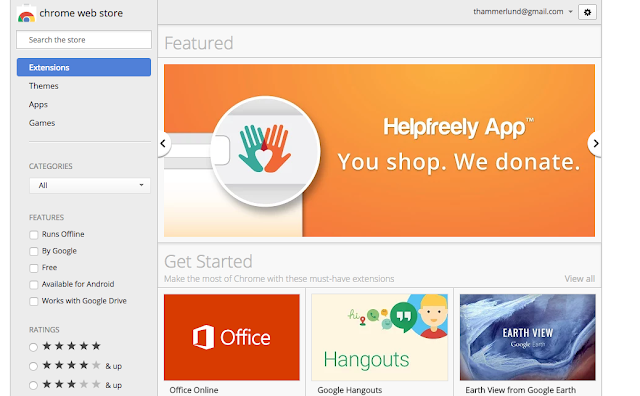


At that time I completed the tutorial I found. In the end, no one chose to make one.

However, this year, more students are interested in learning about coding and there is a student who wanted to take on the challenge I set for him. 

I learned that the URL docs.google.com/create will make a Google Doc. I wanted to have a button to do this, instead of typing it in every time. 

One way to do this is to make a Bookmark. And I tried that. But the bookmark didn't have a favicon (image) and it looked a little dull. It was functional, but I wanted to have an image and I wanted to make a Chrome Extension.

So I did.

          
(Extension Links updated 2021)

I wish I could say that I understood the whole structure and was able to write it myself, but I wasn't. I was able to, however, understand enough to piece together snippets of code I found and realize what from the tutorial I did not need.


Maybe this is how coding should be taught. Maybe after having lessons in the basics, students should be given opportunities to take existing code and modify it how they see fit. 

It was exciting to see my app published where anyone can find it (after I get a few reviews, it might be listed higher). I think most of all, it was a good feeling to complete it after so many failures.

Friday, April 28, 2017

Use 3D Printing in Your Class


While a story is a good way to hook students onto a topic, sometimes you need a little more. Sometimes, it helps to see where the hip bone connects to the thigh bone, or where exactly the iron rod pierced a man's skull.

One day our IB Psychology Teacher came to me with a request to print the above skull for her class. They were studying Phineas Gage and thought it would give students a better idea of the accident and show them exactly what occurred. 

As the model shows, it was a horrific accident, but Phineas survived:
"Phineas P. Gage (1823 – May 21, 1860) was an American railroad construction foreman remembered for his improbable survival of an accident in which a large iron rod was driven completely through his head, destroying much of his brain's left frontal lobe, and for that injury's reported effects on his personality and behavior over the remaining twelve years of his life‍—‌effects sufficiently profound (for a time at least) that friends saw him as "no longer Gage."
We are very privileged to have a 3D printer available on campus that can be used to create models or other visuals for your class too. Please see me if you would like a model made for your class.

Thursday, April 13, 2017

Geoboard - The Awesome Geometry Learning App


Geoboard was one of my favorite apps for the iPad, and I just found out it is also available as a Chrome App. (It is also in the Windows Store.) Geoboard is very slick, easy to use, and fun for students.

Geoboard is a virtual geoboard, so no more rubber band accidents or clean up. It is a great hands-on activity and is really good for inquiry-based learning and asking open-ended questions.
The help section (the i symbol in the bottom right) is awesome, containing lessons and links to other useful apps.


Some questions I might ask when using this with students might be ...
Using one rubber band, what 3D shape(s) can you make?
Can you make a rhombus with an area of x?
(With a given shape) Can you translate this x spaces? Can you rotate it x degrees? What would it look like flipped?


What do you need to know to determine the area of the above rectangle?

Monday, April 10, 2017

Use Github to Host Your Website

Courtesy of J Pilon
The above directions are how to host your website on Github. The process is tricky, so pay attention to the directions and follow the steps exactly.

Friday, March 24, 2017

Leverage Your PLN

I joined Twitter professionally in 2010 or 2011. I was on before that, but I was only using it socially.

For a while, I had two accounts running, one personal and one professional. This worked until I realized I was wasting a lot of time switching between the accounts. Whenever I flip between accounts, I am bound to accidently post to the wrong one.

And that's what happened.

How to Cultivate a Personal Learning Network

I reflected on why I had two accounts and decided I didn't need two. So I deleted one.

I have spent a lot of time building relationships. This is work - it involves helping other teachers when I can, answering questions, and sharing. Most of all, it takes time.

I was reminded of this when a teacher asked me to search for some resources for her. I knew of a Twitter contact who had the answer for her, and a little while later I had a starting point for her.

She was then interested in joining Twitter, which is great and I encouraged her to do it, but I cautioned her that it is a long process. Mine is several years in the making and I feel I still have a lot of room to grow.

*One tip I give teachers when they join Twitter is to find hashtags, then follow people from within the hashtags.