Monday, January 3, 2022

Is All Screen Time Bad?

Last night I led a parent information session about technology at our school and how to keep kids safe online. It was good to use Zoom again after being away from it for so long. I recently upgraded my computer to Big Sur and had to wipe most of the data on my HD, so I needed to reinstall Zoom. The problem on my end was that I did not remember some of the functions, so as I was presenting I was blind to much of what was happening. Fortunately, there was a good team of people around me to field questions and monitor the chat.

One question that came up multiple times was about screen time and parents being concerned that their kids are getting too much screen time. 


Screen time - bad

And yes, on the surface it might look like that. Our grades 5 & 6 are 1:1 and the younger grades do digital activities during the day. We also assign short amounts of skill-building activities through websites such as IXL or Raz Kids as homework. Not only do these sites build skills, but they also give teachers important formative data.

But the thing is that not all screen time is created equal.


Not all screen time is equal.


I am spending time in front of my screen right now making connections between various ideas, writing it down, choosing how I want it to be shown, deciding on my audience, and publishing for others to read and connect with.


Web Literacy for the Student Fact Checker


Saturday, December 18, 2021

Reflections on a Computational Thinking After School Club


I have always enjoyed doing after-school clubs. I think it is a great way for students to explore their passions and it gives the teacher and student a different way of relating to each other. I am always thinking of different clubs to facilitate and I usually do this by surveying the students to see what they are interested in.

Earlier this year I was looking to code a game for a phone. Looking online I came across GDevelop5. It is a game development program. After using it for a while and seeing that there are many tutorials available, I thought it would be a good thing to introduce to the students. 

So, I used that as the backdrop to the club. I called it "Coding Games on a MacBook" so that only Grade 5 and 6 students would join. (We are 1:1 starting in G5). 


The Plan

The plan was for them to work on the space shooter game. I chose this one because it had a tutorial and I had some experience with it. Students would follow a tutorial and build their game. I would be on hand to support them when they needed help. 


The Beginning

I flubbed the first day. I jumped straight into showing them how to follow a tutorial. I should have let them explore and see what kinds of games you can make. So I had some students trying to follow the tutorial and some just playing. 

They were not interested in reading. Looking back I can see now that when a ten-year-old hears the words "video games", their minds jump to playing it. Also, when people do not have experience coding or creating [digitally], they might not know the knowledge base one needs to build. 


Continuing on ... 

So for Session 1, I had them go through the tutorial on their own. For Session 2, I decided to lead them through the space shooter game. I figured that either it would go smoothly and all students would make a game in a session or two, or I would go very slowly and students would get bored and try it on their own. 

After the first time leading students through, one G5 student started to go ahead on her own. I used her as an example for the others - showing her work to the other students as an example. A G6 student started to go off on his own and explore the graphics. He drew a new character and found a new background image. 

From there, students started trying things on their own. Yesterday one student showed me that he had added enemies to his game and said he was going to add movement to the enemies next.

We got into a good rhythm so now that the break has started, I have time to make more videos for the lessons.

Thursday, December 2, 2021

How to Create an Essential Agreement About Technology With Your Child

What is an Essential Agreement?

When you went to school, were rules posted on the wall for all to see? I don’t remember rules being posted in my classroom when I was in school, but since I became a teacher, we teachers have been asked to post them in our classrooms each year. 


If your child is attending an IB (International Baccalaureate) school, they probably have something called an Essential Agreement hanging in their classroom. An Essential Agreement is a common understanding or “set of rules” among the members of a community about what everyone’s common values are. We try not to call them rules because rules are made by someone in authority and imposed on someone else.


An essential agreement can look differently depending on the school, classroom, and teacher. Usually you will find a list of rules written in positive language about how the students want the classroom to look and feel. In most cases, students will sign the agreement to show that they have had a chance to add their input, have read it, and understand it.


Why have an Essential Agreement?

An essential agreement is a common understanding that is co-constructed by members of a group. When creating an essential agreement for a classroom, the essential agreement represents what it is they want their class to look, sound, and be like.


There are many benefits to having a co-constructed agreement. Maybe the most important is agency. Allowing your child to help make decisions about what is included in the agreement and help construct their own, they will feel more a part of the process and feel more ownership.


When we have a chance to offer our opinions and give input on a process, we feel more attached to it like we own it. When we have had a chance to offer our opinions on a rule or policy, chances are that we also would have had the chance to offer alternative ideas that we can discuss.


How

Talk about the 5W’s (Who, What, When, Where, Why, How) relating to technology use in your classroom. 


Who - Who can use certain devices? 


Can your child use your phone? Can your child’s friends use their computer? 


Try to think of all your devices and who should be using them.


What - The devices themselves


What sorts of activities should your child be using the computer for? Are they creating as well as consuming content?


When - When are acceptable times to be using devices?


Can your child use their computer after bedtime? Can they use it while eating? Talk about the times it is appropriate to use the computer. 


Where - Where are good places to use them


Where is a good place to use the computer? Is a table with drinks on it the best place? Should it be used in a place with food around? Talk about the best places to use the computer for both productivity and the care of the device.


Examples


 Use the Common Sense Media Family Media Agreement 


Homework

What? Homework? OK, let’s call it a Call to Action.


Your Call to Action is to have a conversation with your child about technology (See the blog post How to Talk with Your Child About Technology for guidance.) 


Step 1. Talk about what technology use looks like


What does it look like for you? 

What does it look like for your child?


Step 2. Talk about where you should use technology

It would be a good idea to have an agreement that the screen should always be visible. This is so everyone can look back to it as a reminder.


Step 3. Make an Agreement


A document where you can record what you talk about is a good idea. It can be kept on the wall or refrigerator as a reminder of what you talked about. Also talk about what should happen if and when the agreement is broken. 


I recommend using Common Sense Media’s Family Agreement as a start. If it doesn’t work for you, make your own or adjust it.


Step 4. Implement your Agreement


Start following your agreement right away. If you find your agreement is not working, have a talk with your child about why it is not working and what can be done to make it better. 


Tuesday, November 9, 2021

Don't Let the Process Inhibit Innovation

I have been thinking about this a lot recently. 

Photo by Alex Knight on Unsplash

There are times when teachers put in place steps for students to meet when building or creating. Sometimes it can feel that we are teaching students how to take steps and reflect along the way. But other times those are obstacles that can demotivate and actually crush the creativity we are trying to develop. 


Tuesday, November 2, 2021

Building Executive Function: Now You See It, Now You Don't

I am reading about executive function in the brain and how essential it is to everything we do. 

The executive functions are a set of processes that all have to do with managing one's resources in order to achieve a goal. 
(Cooper-Kahn, Dietzel, 2008, p. 10 as cited in Sulla, 2018 ) 

I might add something like skills to "resources" since Sulla talks about how we need to be able to analyze, evaluate, and reflect when doing the somewhat simple task of fixing drywall.

But I was more interested in the teaching activities this book would offer. 

The first activity suggested to help build executive function was something called "Now You See It, Now You Don't".

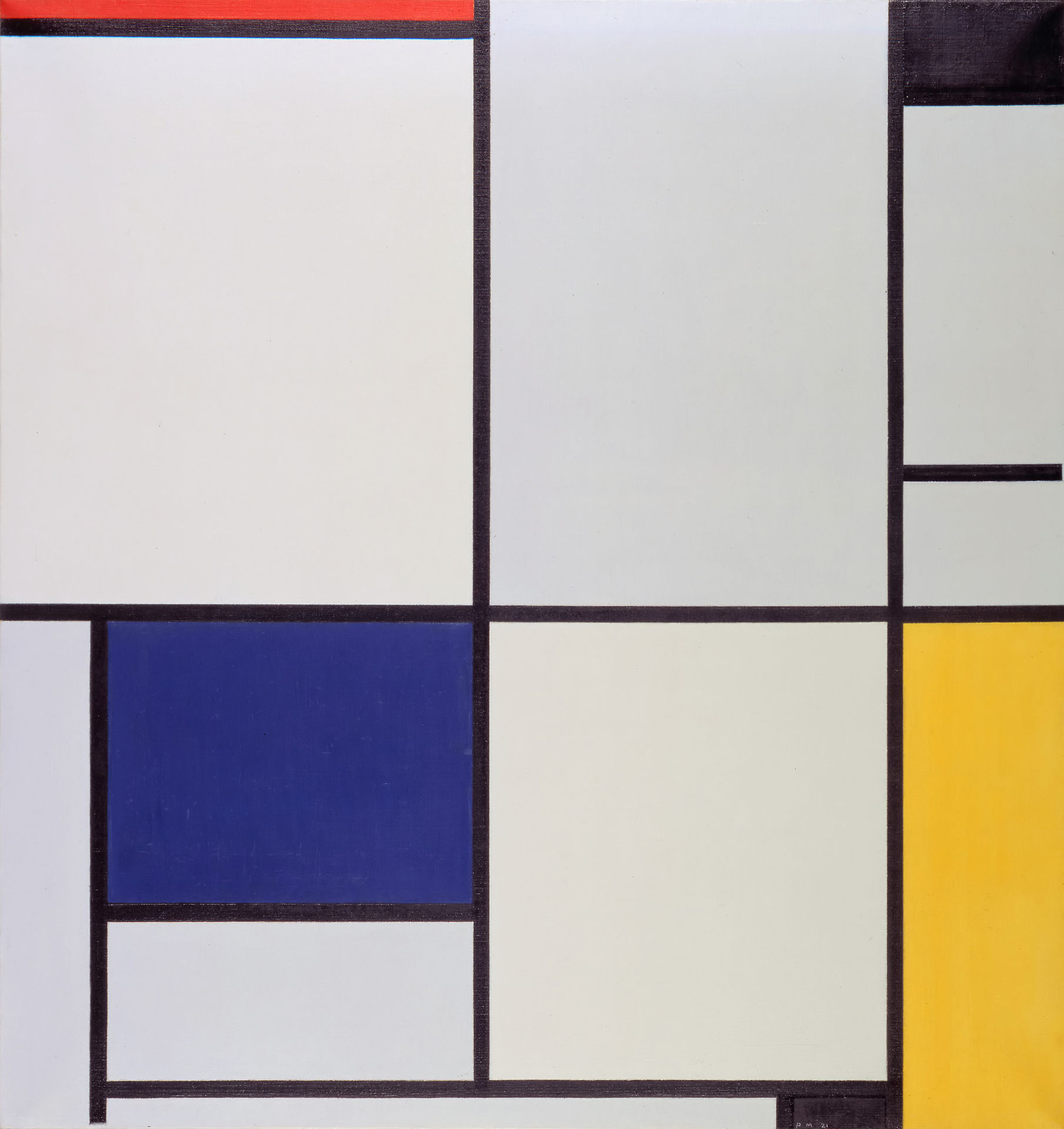
Tableau I, 1921, Kunstmuseum Den Haag


This is similar to the game memory. But you try to remember specific details of the picture when describing it. For example, you would show students a picture for a short amount of time, then hide the picture from them. The students would try to describe the images in as much detail as they could.

I can see this working with one of our Units of Inquiry. For example, for a unit on the elements of art, maybe you could show students an art image that has strong line elements to it. After revealing the image, you could ask not only details they saw, but this could also be an opening to talk about the art and how line was used in the image. 

I also think an activity like this would be great for EAL students and building their vocabulary. 


Sulla, N., 2018. Building Executive Function. 1st ed. New York: Routledge, p.2.

"Piet Mondrian” Wikipedia.org, Nov. 2 2021, https://en.m.wikipedia.org/wiki/Piet_Mondrian.