Integrating technology into teaching and learning makes up a large part of our program at OYIS. Students are required to use their devices in class and it is expected that they make good decisions when using the device. Getting your child their own device is a big step for both your family and for your child. For children, it is a powerful tool they can use to interact with friends, play games, and connect to the world in general. For parents, it can be stressful and, at times, challenging to navigate. But negotiating an agreement with your child doesn't have to be as complicated as you may think.
Already your child's homeroom teacher talks with students about how to responsibly use technology at school. At home, talking with your child about technology usage will alleviate many problems that will arise. Ideally, we should allow children to have some agency in how they use their devices and help them to make good choices.
A good place to start is with the 5 W’s - Where, when, what, who, why, and how. Beginning with the 5 W’s as a starting point, you can open lines of communication with your child and establish the rules you have as a family regarding areas such as screen time, storage, and safe sites.
So, what might this look like?
WHERE
Where the device can be used in the home is a simple and effective way to begin the conversation. Think about the places in your home where you might use the device and talk about where a good location might be.
One rule of thumb is to keep screens visible. Children should not go into their rooms to "do homework" or be able to keep their screens hidden from view. Establish a norm at your home to always use computers with the screens being visible.
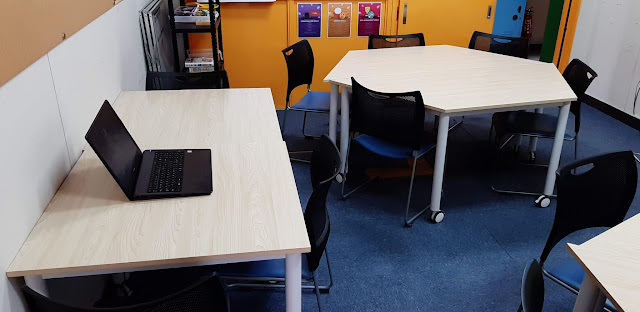
A good way to keep computer screens visible is by having the screens face the center of the room.
When talking about where devices can be used, also consider the physical care of the device. Keeping the device away from liquids and food will help it to last longer.
For example, a conversation could start by asking one of the following questions:
Where is a good place to use devices? [image]
Is it OK to use the computer at the dining room table, or is that not a good place because of food?
Is it OK to use a computer on the floor, or is that not a good place because it might be stepped on?
Allow your child to arrive at an answer about where they can use the device, but also be flexible about allowing the conversation to be open to other questions and topics as well. It will be natural for the conversation to move to when, what, who, why, and how questions next.
WHEN
“When” questions are a good chance to bring up the topic of sleep. You can discuss how the device affects sleep and why they should not use it two hours before they go to bed.
Other questions might be:
When is a good time to use the device?
Should it be used late at night?
Should it be used right when they wake up?
Can it be used before reading or homework?
WHAT
It is important to show children that devices can be used to create amazing things that we can share. We can create art, movies, podcasts, books, or almost anything we can think of. With that in mind, it suddenly can seem like a waste of time to always consume content by watching movies or playing games.
The key is balance. How much time should you be doing for each?
Talk about what the device should be used for.
What should I use the device for?
How much time should I be
Can the device be used for only watching videos or playing games?
What can we create using the device?
WHO
The internet is mostly used for communication and information exchange, so talking about appropriate people to communicate with will come up in conversation. The question of “who” could also lead you to talk about who your child can share their device with. Also, be aware that many children share their passwords with each other. This should be avoided. In general, children should only share passwords with parents and teachers. If your child would like to collaborate with a friend, encourage them to find a service that allows them to do so without sharing an account.
A few questions to guide the conversation on who:
Who should I be communicating with right now?
Who should you be communicating with online?
Is it a good idea to let others use your computer?
Is it a good idea to let others have your passwords?
Finding your niche online is a process we all go through. But it is best to let your child know they should keep themselves safe online by being aware of who they can trust.
WHY, and HOW
Also, talk about why you are using the device and how you will use it.
If you are using the device to mostly consume, is it for school?
Can you be creating something instead of simply consuming information? (One of the PYP Learner Profiles is to be Knowledgeable. Being Knowledgeable means that you share your knowledge with others.)
These questions can help you find a balance for the device that works for your household and can give your child ideas for how technology can be used. When talking to your child, you can use the school's technology agreement [K-2, 3-4, 5-6] or the Common Sense Media Family Agreement as a conversation starter. Read it together with your child with the questions above in mind. If their agreement works for your family - that is great! Use it. If not, there are places to add your own ideas, or you could even write a new one together with your child.
CITATIONS
Kaohsiung American School 1:1 Parent Presentation
Shifting Our Schools Podcast: Episode 173
